Video Editing Assets / Motion Graphics / VFX / Creator Workflow
AEJuice Review & Discount Code 2026
Motion graphics, VFX, transitions, titles, sound effects and video editing assets for creators who want faster, better-looking videos.
AEJuice is a creative asset platform for video editors, filmmakers, YouTubers, photographers moving into video, content creators and small production teams. It brings together motion graphics, presets, transitions, titles, overlays, sound effects, templates and plugins so you can build more polished videos without designing every element from scratch.
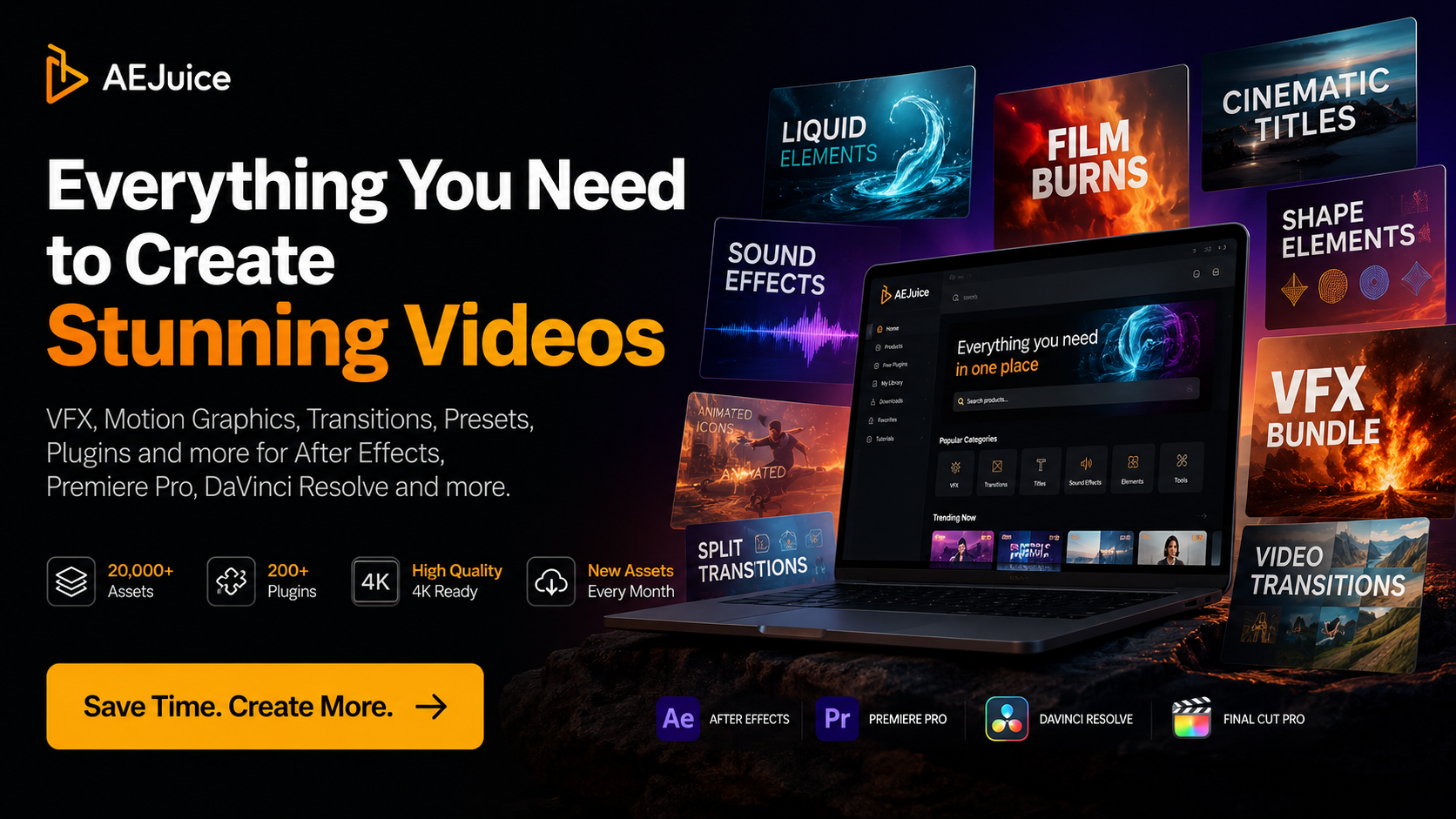
Save Up To 98% On AEJuice
Use my AEJuice affiliate link to explore the latest bundles, creator packs, free products and video editing assets. Selected AEJuice bundle offers can give very large savings compared with buying individual packs separately.
Affiliate disclosure: I may earn a commission if you purchase through my link, at no extra cost to you.
What Is AEJuice?
AEJuice is a library of animation tools, plugins, presets and creative assets for video editors. Instead of building every transition, title, callout, animated graphic or effect manually, AEJuice gives you ready-made elements that can be used inside popular editing and motion graphics software.
The main appeal is speed. If you create YouTube videos, social clips, product reviews, tutorials, travel films, course content, branded edits or client videos, AEJuice can help you add movement, polish and visual energy without losing hours to repetitive animation work.
Search terms people often use for this type of product include AEJuice review, AEJuice discount code, AEJuice lifetime deal, AEJuice I Want It All Bundle, AEJuice Pack Manager, AEJuice free plugins, best After Effects plugins, Premiere Pro transitions, DaVinci Resolve motion graphics and YouTube creator tools.
Who Is AEJuice Best For?
AEJuice makes the most sense for creators who publish video regularly. If you only make one video every few months, you may not need a large library of creative assets. But if you are producing weekly YouTube videos, social reels, client edits, course content, travel films, product reviews or branded video, the time saving can be significant.
YouTube Creators
Useful for intros, subscribe animations, lower thirds, titles, callouts, b-roll transitions and visual polish.
Filmmakers
Good for adding VFX elements, overlays, atmospherics, transitions and stylised finishing details.
Editors
Helpful when you need fast options inside Premiere Pro, After Effects, DaVinci Resolve or similar workflows.
Photographers
Ideal if you are moving into video and want your edits to feel more professional without learning advanced motion design first.
What Do You Get With AEJuice?
The exact products available can change over time, but AEJuice generally focuses on motion graphics, titles, transitions, VFX elements, animation presets, overlays, sound effects, social media assets, YouTube packs, slideshows, LUTs, constructors, templates and creative plugins.
- Transitions: seamless transitions, flash transitions, liquid transitions, glitch transitions, zooms and creator-friendly movement effects.
- Titles and text: animated titles, kinetic typography, lower thirds, text messages, captions, callouts and social video text elements.
- VFX and overlays: lightning, rain, blood effects, VHS, CRT, particles, clouds, atmospheric overlays and stylised visual effects.
- Sound effects: impact sounds, whooshes, transitions, risers and effects that help visual elements feel more finished.
- Creator packs: YouTube assets, Instagram-style elements, promo video graphics, social templates and repeatable branded content tools.
AEJuice Pack Manager Review
One of the most important parts of AEJuice is Pack Manager. This is the system that helps you browse, preview, download, organise and use the packs you own. For a large asset library, this matters because a folder full of random downloads can quickly become difficult to manage.
Pack Manager is designed to make the workflow feel more visual. You can preview items, find assets faster, download the packs you need, keep favourites and use drag-and-drop style workflows depending on the software and pack. For editors who work quickly, that is the difference between having a useful asset library and having a messy archive that never gets used.
This is also why AEJuice is worth considering as a workflow tool, not just a bundle of visual effects. The value comes from being able to find useful assets when you are actually editing.
AEJuice For YouTube Creators
For YouTube creators, AEJuice can help solve a very common problem: making videos feel more finished without spending too long on graphics. A talking-head tutorial, product review, travel film or camera test can instantly feel more professional with better titles, callouts, transitions, sound effects and animated overlays.
Useful AEJuice search intents for YouTubers include YouTube motion graphics, YouTube title templates, YouTube subscribe animation, YouTube lower thirds, YouTube transitions, video editing assets for YouTubers and best creator tools for YouTube.
For my own audience of photographers, filmmakers and creators, this is probably the strongest use case. AEJuice is not about replacing good storytelling or editing. It is about giving your edits more visual language when you need it.
AEJuice For Premiere Pro
If you edit in Adobe Premiere Pro, AEJuice can be useful for transitions, titles, motion graphics templates, social media assets, sound effects and creator packs. Premiere Pro users often want fast drag-in elements that improve a video without forcing them to build complex animations from scratch.
This makes AEJuice relevant for searches such as Premiere Pro transitions pack, Premiere Pro title templates, Premiere Pro motion graphics, best Premiere Pro plugins, Premiere Pro YouTube pack and video editing assets for Premiere Pro.
AEJuice For After Effects
After Effects users are one of the most obvious audiences for AEJuice because the product is closely tied to motion graphics, animation presets and visual effects. If you already use After Effects, AEJuice can help speed up repeatable animation work, especially for text animation, social graphics, liquid elements, transitions, icons, overlays and stylised effects.
This section targets search terms like AEJuice After Effects, best After Effects plugins, After Effects presets, After Effects motion graphics, After Effects transitions, kinetic typography After Effects and free After Effects plugins.
AEJuice For DaVinci Resolve
DaVinci Resolve users are increasingly looking for faster ways to add titles, motion graphics, transitions and effects without spending too much time inside Fusion. AEJuice can be a useful option for Resolve editors who want packaged creative elements that help make edits feel more polished.
For creators building tutorials, travel films, product reviews or social content in Resolve, AEJuice is worth exploring as part of a wider workflow that may also include colour grading tools, audio libraries, captions and export presets.
AEJuice Free Plugins And Free Assets
One of the easiest ways to test AEJuice is through its free products. Free video assets, free plugins and free starter packs are a good entry point if you want to see whether the AEJuice workflow suits the way you edit.
This is also an important search area because many creators search for free After Effects plugins, free Premiere Pro plugins, free DaVinci Resolve assets, free video transitions, free motion graphics templates and free video editing assets before they are ready to buy a full bundle.
My suggestion is simple: start with the free tools, see whether the Pack Manager and assets fit your workflow, then look at the larger bundles if you find yourself using the free elements regularly.
AEJuice I Want It All Bundle
The I Want It All Bundle is one of the main AEJuice offers people search for. It is designed for creators who want a broad library rather than buying one small pack at a time. This type of bundle can make sense if you regularly produce different kinds of video and want access to titles, transitions, overlays, effects, animations and creator assets in one place.
The main buying question is whether you will actually use the assets. If you edit often, a large bundle can be useful because you are likely to use different elements across different projects. If you rarely edit, a smaller product or free starter pack may be enough.
For regular YouTubers, freelance editors and filmmakers, the bigger value is not just the number of assets. It is the ability to keep returning to the library for different jobs: a title for one video, a transition for another, a sound effect for a reel, a glitch effect for a product review, or a lower third for a tutorial.
AEJuice Alternatives
AEJuice is not the only option. Depending on your workflow, you may also compare it with Motion Array, Envato Elements, Mister Horse, Motion Bro, VideoHive and other motion graphics or stock asset platforms.
Motion Array and Envato Elements are broader subscription platforms with large libraries covering stock video, templates, music and creative assets. AEJuice feels more focused around motion graphics tools, plugins, presets, effects and editor-friendly packs. Mister Horse is also popular for motion design and animation workflows, especially with Premiere Pro and After Effects users.
The reason to choose AEJuice is if you like the style of the packs, want the Pack Manager workflow and prefer buying into a focused video-editing asset ecosystem rather than a very broad stock marketplace.
Pros And Cons
Pros
Large library, strong motion graphics focus, useful free products, Pack Manager workflow, good for YouTube creators and regular editors.
Cons
Not every pack will suit every style. The value depends on how often you edit and whether the AEJuice visual style fits your work.
My AEJuice Verdict
AEJuice is worth looking at if you create regular video content and want a faster way to add motion graphics, VFX, transitions, titles, sound effects and creator assets to your edits. I would start by testing the free tools, then consider a larger bundle if you find yourself using the assets repeatedly.
Use my link below to check the latest AEJuice offers. Selected bundles may save up to 98% compared with buying products separately.
AEJuice FAQ
Is AEJuice worth it?
AEJuice is worth considering if you edit video regularly and need motion graphics, titles, transitions, VFX elements, sound effects or creator assets. The value is strongest for YouTubers, filmmakers, social media editors and freelance creators who publish often.
Is there an AEJuice discount code?
You can use my AEJuice affiliate link on this page to check the latest available offers and selected bundle savings. Some AEJuice bundle offers can save up to 98% compared with buying individual products separately.
What is AEJuice Pack Manager?
Pack Manager is AEJuice’s tool for managing purchased and free products. It helps with browsing, previewing, downloading, organising and using AEJuice assets more quickly inside supported editing workflows.
Does AEJuice work with Premiere Pro?
AEJuice offers products and assets aimed at Premiere Pro users, including transitions, titles, motion graphics, sound effects and creator packs.
Does AEJuice work with After Effects?
Yes. AEJuice is strongly associated with After Effects workflows, including animation presets, motion graphics, plugins, titles, effects and templates.
Does AEJuice work with DaVinci Resolve?
AEJuice includes products and categories for DaVinci Resolve users, especially for creators looking for transitions, effects and video editing assets.
Who should use AEJuice?
AEJuice is best for YouTubers, filmmakers, editors, content creators, motion designers, photographers moving into video, social media creators and anyone producing regular video content.
Can beginners use AEJuice?
Yes. Beginners can use AEJuice to add more polished graphics and effects without learning advanced motion design first. It is still worth learning basic editing principles so the assets support the video rather than overpower it.
What are the best AEJuice alternatives?
Common alternatives include Motion Array, Envato Elements, Mister Horse, Motion Bro and VideoHive. AEJuice is most appealing if you want a focused motion graphics and video editing asset ecosystem with Pack Manager.
Affiliate disclosure: this page contains affiliate links. If you buy through my AEJuice link, I may earn a commission at no extra cost to you. Prices, discounts and product availability can change, so always check the AEJuice website before purchasing.
AEJuice Review 2026AEJuice Discount CodeAEJuice Promo CodeAEJuice CouponAEJuice Lifetime DealAEJuice I Want It All BundleAEJuice Pack ManagerAEJuice Free PluginsAEJuice Free AssetsAEJuice Premiere ProAEJuice After EffectsAEJuice DaVinci ResolveMotion Graphics TemplatesVideo Editing AssetsVFX AssetsYouTube Creator ToolsPremiere Pro TransitionsAfter Effects PluginsDaVinci Resolve AssetsVideo Transitions PackAnimated TitlesLower ThirdsKinetic TypographySound Effects LibrarySocial Media TemplatesFilmmaking ToolsCreator WorkflowBest Video Editing Plugins

