Creator Tools • Elevate.io
Elevate.io Discount
Use my link below and apply the discount code at checkout. If you’re exploring collaborative online video editing — especially when feedback, approvals, or remote teamwork are part of your process — Elevate.io is a tool worth understanding.
25% off with discount code 3M25OFF. Go to Elevate.io using the button, then enter the code at checkout.
What Elevate.io is (and why it’s different)
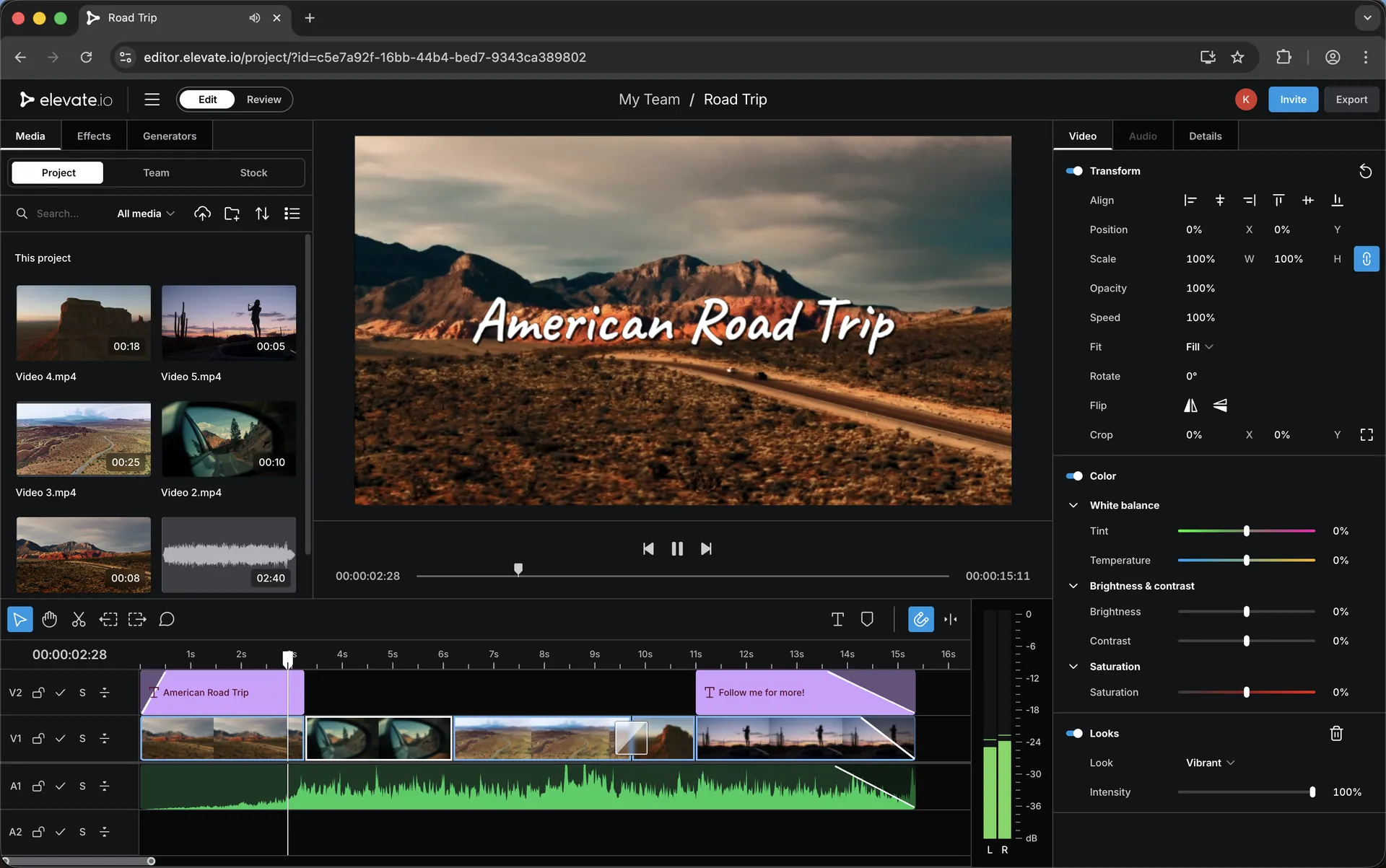
Most editing tools assume you’re working alone: you cut the video, export it, send it, wait for notes, repeat. That approach works — until you’re collaborating with a client, a teammate, or a remote editor and the process starts to feel like version chaos.
Elevate.io sits in a newer category: collaborative online video editing. Projects live online, collaboration is part of the editing experience, and reviews/feedback can be handled in a way that stays organised. If you’ve ever thought “there has to be a cleaner way to do revisions”, this is the type of workflow worth exploring.
I’m building a small library of Elevate.io guides and comparisons — focused on real workflows: pricing choices, approvals, remote editing, and how it stacks up against tools many creators already know.
Collaboration
Shared projects, clearer feedback loops, and fewer “which version is this?” moments.
Review & approvals
A smoother path for revisions when your edits involve clients, teams, or stakeholders.
Creator workflows
Where a browser editor fits naturally — and where a desktop editor still wins.
Explore the guides
Here are the supporting pages you can explore next — pricing, workflows, comparisons, and a mobile-first pipeline where you shoot on your phone, upload once, and the edit is ready anywhere (including for a remote editor).
Pricing
Elevate.io Plans Explained: Free vs Creator vs Pro
What matters on each plan, who it suits, and how to choose without overthinking it.
How-to
How to Apply an Elevate.io Discount Code
Where to enter the code, what to check at checkout, and quick fixes if it doesn’t apply.
Workflow
Video Review & Approvals: A Cleaner Feedback Process
A practical review flow for client notes, team revisions, and keeping feedback tied to the edit.
Remote
Working With a Remote Editor: A Simple Online Workflow
A clean handover method that reduces exports, keeps revisions organised, and saves time.
Comparison
Elevate.io vs CapCut: When Collaboration Changes Everything
A calm comparison for creators who love CapCut but need better collaboration and review flow.
Comparison
Elevate.io vs Descript: Timeline Editing vs Text-Led Editing
Which approach fits your style — and what you gain or lose depending on how you like to edit.
Comparison
Elevate.io vs Canva Video: Editing Workflow vs Templates
For Canva users: what changes, what improves, and why collaboration can feel smoother.
Teams
A Practical Setup for Marketing Teams (Fast Social Output)
A focused page for teams producing social content and handling reviews with less friction.
Agencies
Agency Workflow: Keeping Clients, Notes & Revisions Tidy
Approvals, revisions, stakeholders — how to keep the process simple and trackable.
Mobile
Phone-to-Editor Workflow: Shoot Mobile, Upload Once, Edit Anywhere
Capture on your phone, upload once, and the project is ready to view or edit from any device — including for a remote editor immediately.
Ready to try it? Use code 3M25OFF for 25% off.
Keywords
Elevate.io discount and related creator tool topics covered across this library.
Elevate.io discount
Elevate.io discount code
Elevate.io coupon code
Elevate.io coupon
Elevate.io promo code
3M25OFF
25% off Elevate.io
Elevate.io pricing
Elevate.io free plan
Elevate.io Creator plan
Elevate.io Pro plan
online video editor
browser video editor
cloud video editor
collaborative video editing
video review tool
video approval workflow
remote video editing
mobile video editing workflow
phone to editor workflow
CapCut alternative
Descript alternative
Canva video alternative
video editor for marketing teams
video editor for agencies
team video editor
edit videos together online
creator tools
Transparency: if you choose to try Elevate.io using my link, I may earn a commission — at no extra cost to you.

