Elevate.io • Review Workflow
Video Review & Approvals: A Cleaner Feedback Process
The “messy middle” of editing is nearly always feedback: notes across messages, unclear timestamps, multiple versions, and approvals that never feel final. This page is a simple workflow you can copy — whether you’re a solo creator, working with a remote editor, or delivering client work.
Use code 3M25OFF for 25% off at checkout.
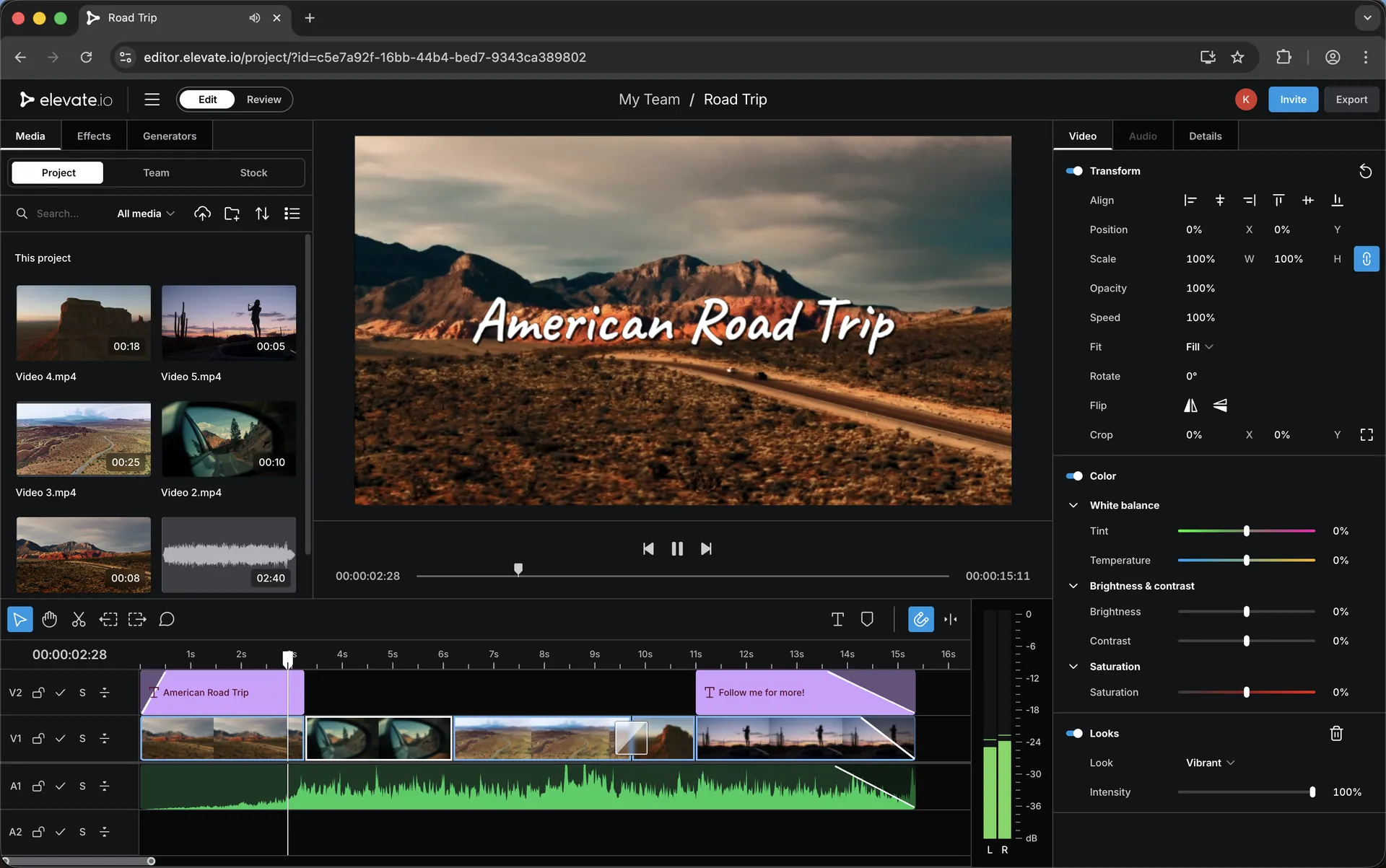
The goal
A good review workflow does three things: it keeps feedback attached to the right moment in the timeline, it prevents duplicate or conflicting notes, and it makes approvals obvious. The “best” system isn’t complicated — it’s consistent.
Think of reviews like a checklist. One pass for big-picture, one pass for details, and one final sign-off. If you mix them all together, you’ll create extra revisions without real improvement.
The 4-stage review workflow
This is a clean structure that works for most projects: YouTube videos, short-form edits, client campaigns, and anything with more than one person involved.
1
Rough cut review
Only big notes: pacing, structure, missing shots, story clarity. No micro-tweaks yet.
2
Fine cut review
Rhythm, trim points, graphics, music, and the notes that actually improve the edit.
3
Polish pass
Subtitles, small timing nudges, audio consistency, and any final “rough edges”.
4
Final approval
One last watch for confidence. Then lock it. No new creative direction at this stage.
Two review styles (choose one)
Most feedback chaos comes from unclear roles. Decide which style you’re using before notes start.
Single decision-maker
One person owns the final call and collects feedback from others. Notes stay consistent, revisions are faster, and approvals are clean.
Shared stakeholder review
Multiple people review directly — but they must follow the same stages (rough → fine → polish → final), otherwise you’ll get conflicting notes and endless versions.
The review checklist (what to look for)
Use this as your “notes framework”
- Is the first 10–15 seconds strong enough to keep viewers watching?
- Does the structure make sense without explanation?
- Are any sections dragging or repeating?
- Is the audio level consistent (voice, music, ambience)?
- Do captions/subtitles match the spoken words and pacing?
- Are graphics clear, consistent, and not distracting?
- Are there any visible jumps, awkward cuts, or timing hiccups?
- Is the ending clean, confident, and not rushed?
If you work with a remote editor
Remote editing becomes easy when your review process is predictable. Your editor should always know what stage you’re in and what kind of notes you’re giving. If you’re sending “polish notes” during the rough cut stage, you’ll slow everything down.
For the clean remote workflow, this page pairs well: Working With a Remote Editor.
Explore next
If you’re building a smooth pipeline, these pages connect naturally with reviews and approvals:
Remote
Working With a Remote Editor: A Simple Online Workflow
A practical collaboration system for creator + editor delivery.
Mobile
Phone-to-Editor Workflow: Shoot Mobile, Upload Once, Edit Anywhere
A fast pipeline for mobile capture and instant project access.
Pricing
Elevate.io Pricing: Free vs Creator vs Pro
Choose a plan based on whether you’re editing solo or collaborating.
Discount
Elevate.io Discount
Discount code, overview and the full Elevate.io guide library.
Want to try Elevate.io? Use code 3M25OFF for 25% off.
Keywords
Review and approvals workflow topics covered on this page.
video review workflow
video approvals workflow
client feedback workflow
collaborative video editing
timeline feedback
revision workflow
remote editor workflow
team video review
agency approvals
online video editor
browser video editor
cloud video editor
Elevate.io discount
Elevate.io coupon code
3M25OFF
Transparency: if you choose to try Elevate.io using my link, I may earn a commission — at no extra cost to you.

