Connect an archive drive
Add the relevant photo folders to Excire while the source drive is connected to your computer.
Professional Photography Archive Workflow
Search hundreds of thousands of photographs across your computer and external archive drives—even when the original drive is not connected.
After more than 25 years as a professional photographer, I estimate that my complete back catalogue contains between two and three million images. Excire Foto has given me a practical way to turn that fragmented archive into one intelligent, visual and AI-searchable catalogue.
Use my discount code at checkout:
This page contains affiliate links. I may earn a commission if you purchase through my link, at no additional cost to you. Use code SIMONSONGHURST for 15% off eligible Excire software.
Real-World Professional Archive
This screenshot shows a selection of beauty photography inside my current Excire Foto database. It represents only a small percentage of the images accumulated throughout my career.
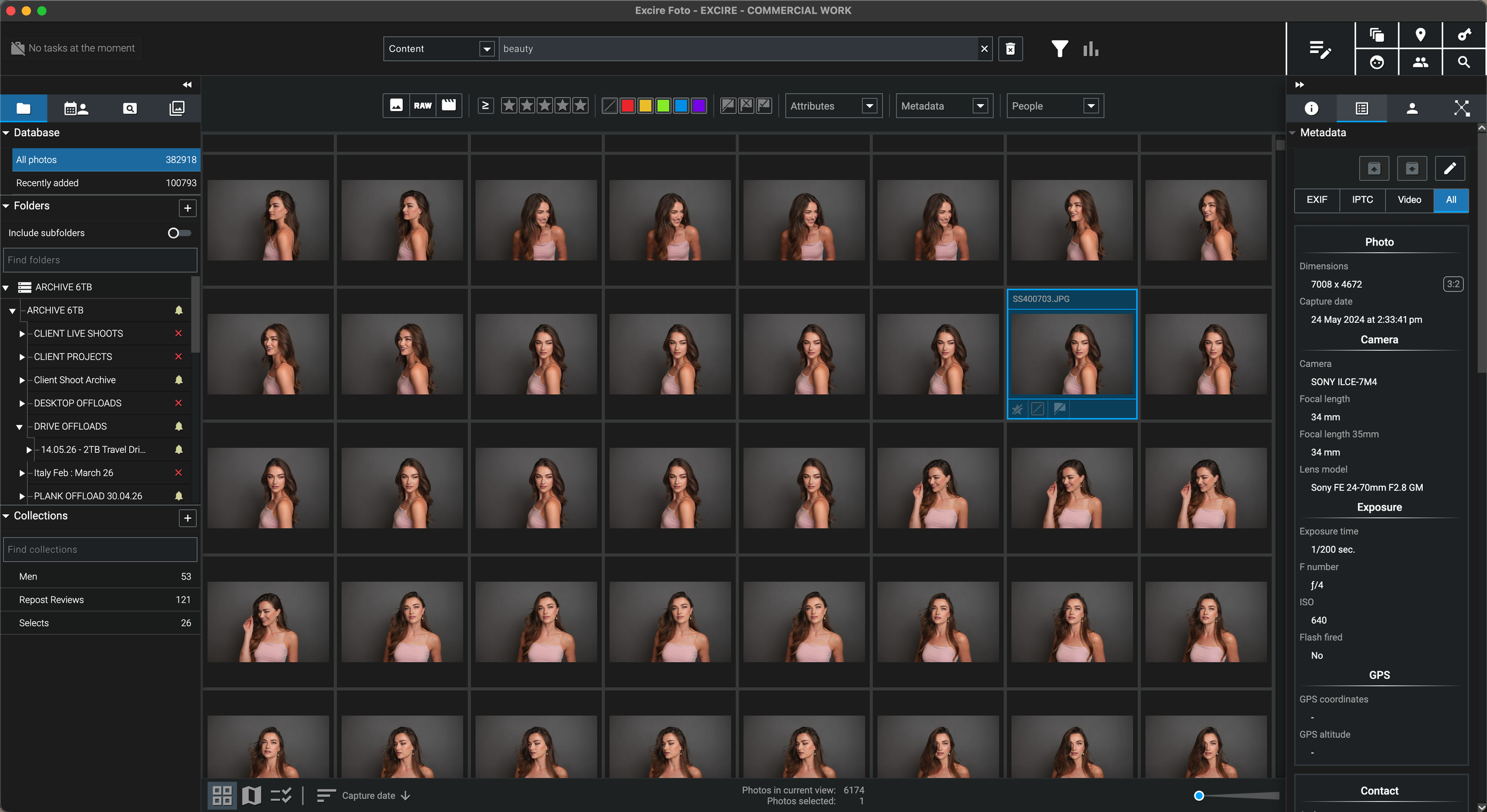
Excire stores its catalogue information, thumbnails and previews separately, allowing me to continue exploring indexed images while source folders are offline. I reconnect the relevant drive when I need the original high-resolution file.
Why I Needed Excire
“I often remembered what an image looked like—but not the year, client folder or external drive that contained it.”
I have spent more than 25 years shooting beauty, skincare, hair, portrait, editorial, commercial, travel and personal photography. That history has produced an enormous photography archive spread across working drives, client-project drives, old desktop offloads and long-term external storage.
Traditional folder structures work until you forget the original client name, approximate date or naming convention. With several generations of archive drives, finding one specific photograph could mean connecting and searching drive after drive.
Excire Foto changes the starting point. Instead of needing to remember where an image lives, I can search the visual content of my indexed catalogue, browse the preview, identify its storage location and reconnect the relevant drive only when I need the original high-resolution file.
This is why I see Excire as professional workflow infrastructure, rather than simply another photography application.
External Hard Drive Photo Workflow
The archive workflow that made Excire uniquely useful for me.
Add the relevant photo folders to Excire while the source drive is connected to your computer.
Excire creates catalogue information, thumbnails, previews and AI data for searching the photo library.
The source folder can go offline while its indexed thumbnails and previews remain visible inside the catalogue.
Once you locate the photograph, reconnect the correct archive drive to open, copy or edit the original file.
AI Photo Organisation Software
The strongest Excire Foto features are the ones that remove the need to remember exact filenames, dates and folder paths.
Search by subjects, scenes, activities, moods and visual ideas instead of depending entirely on folders and manually entered keywords.
Locate people, age groups, expressions and portrait sequences inside a large beauty, commercial, family, wedding or event library.
Search for visible text such as street signs, shop names, product labels, athletes’ numbers and vehicle decals.
Create searchable databases for extensive photo archives while the original high-resolution files remain in their existing storage locations.
Excire analyses photographs locally on the computer, an important consideration for confidential client work and private personal archives.
Excire Foto is sold without a compulsory monthly subscription, making it attractive to photographers reducing recurring software costs.
Excire Foto Review
Clear expectations matter. Excire is an intelligent photo and video management application, not a replacement for a dedicated RAW editor.
Use it to index folders, browse previews, locate images, search using AI, organise collections, examine metadata and rediscover work spread across computers and external hard drives.
Once I have found the image I need, I open the original file in the most appropriate editing software, including DxO PhotoLab, Capture One or Photoshop.
My Buying Advice
Excire Buyer-Intent Hub
Each supporting guide explores a different archive problem and links back to this central Excire Foto review and discount hub.
Questions Before Buying
Excire can continue to display catalogue thumbnails and generated previews for indexed folders while their source location is offline. The original drive must be reconnected when you need the original high-resolution file or want to rebuild information that depends on it.
No. The original files remain in their existing folders. Excire maintains a separate database containing catalogue information, thumbnails and optional previews. Those database files still require storage, but considerably less than duplicating an archive of original RAW files.
Excire recommends managing up to approximately one million photographs in one database, depending on the computer and storage configuration. Very large professional archives can be divided into separate databases where appropriate.
Excire Foto is primarily photo and video management software. I use it to search, catalogue, organise and select images, then work on the original file in dedicated editing software such as DxO PhotoLab, Capture One or Photoshop.
No. Excire states that its AI image analysis runs locally on the computer rather than uploading the photo collection to a cloud service.
Excire Foto 2027 is offered as a one-time purchase for the licensed version rather than a compulsory monthly subscription. Future paid major upgrades may be offered separately.
Follow an Excire purchase link on this page and use code SIMONSONGHURST at checkout to receive 15% off eligible Excire software.
Exclusive 15% Affiliate Discount
Excire Foto has made it significantly easier for me to search a professional archive accumulated across decades and many external hard drives.
Explore my complete professional workflow Discover the photography, retouching, editing and asset-management tools that support the way I work.
Visit the Workflow Hub
